Email Settings
Set yellow and red warning trigger hours so no inquiry is missed.
How Warnings Work
When an inquiry project is not responded to within the configured time, the system automatically sends warning emails to remind the sales team and prevent lost prospects.
Warning Thresholds
| Setting | Default | Description |
|---|---|---|
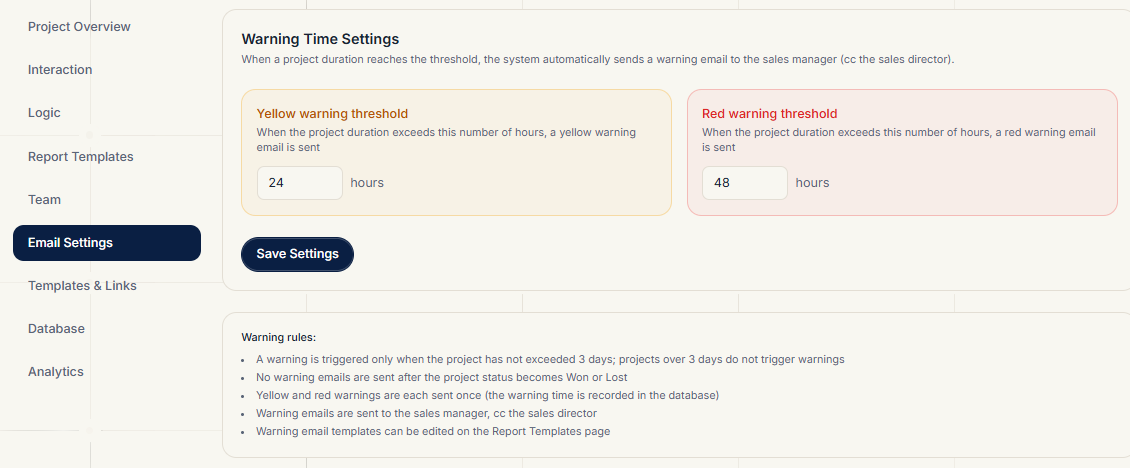
| Yellow warning threshold | ≥ 24 hours | Warns when a project is unresponded for this long |
| Red warning threshold | ≥ 48 hours | Escalates when a project is unresponded for this long |
How to Configure
- Change the yellow/red thresholds (in hours)
- Validation: yellow must be ≥ 1 hour; red must be greater than yellow
- Click Save to write to the database — applied immediately
Warning Email Content
The subject and body of warning emails are edited in Report Templates (yellow warning / red warning). They go to the responsible sales manager and CC the sales director.
Related Topics
- Edit warning email content: Report Templates
- Manager and theme assignment: Team