Templates & Links
Use reference templates, check quiz info, generate quiz links, and save quiz plans.
Overview
Templates & Links is the launch point for your quiz — from templates, checking, and link generation to saving quiz plans.
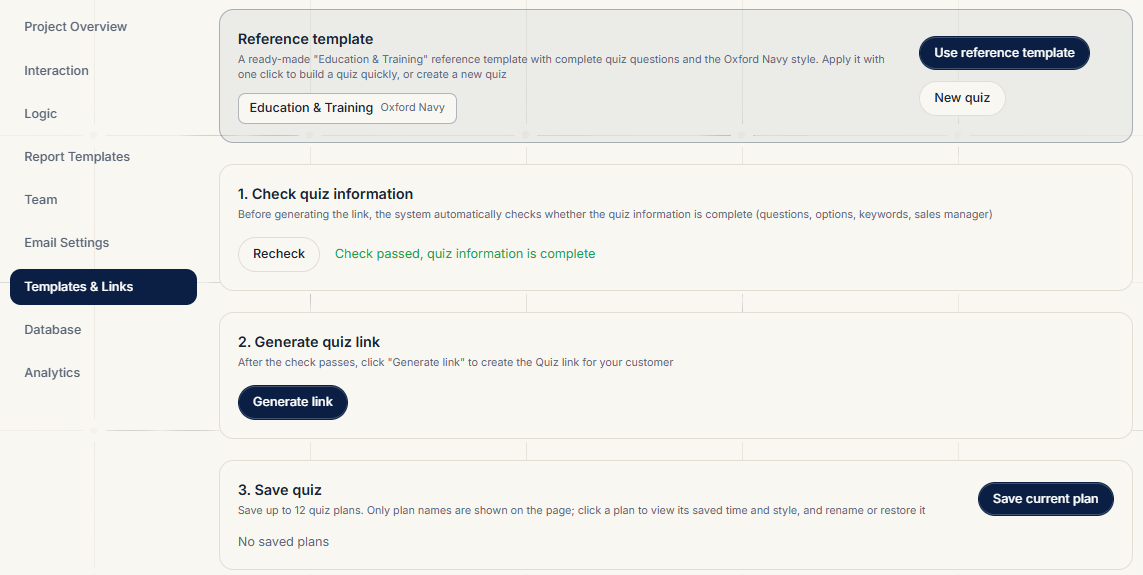
Reference Template
The system ships with an Education reference template (a complete P1–P4 decision tree with the Oxford Navy style):
- Use Reference Template: load the reference quiz in one click to build yours quickly
- New Quiz: clear the current quiz and start from scratch
Checking Quiz Info
Before generating a link, the system verifies that the quiz is complete (questions, options, theme keywords, manager associations, etc.). If something is missing, the issues are listed. Fix them, re-check, and only then generate the link.
Generating a Link
- Click Generate Link after the check passes
- The system creates a quiz URL carrying the template ID and style, e.g.
https://dolphinquiz.com/en/quiz?t=xxxx&style=classic - Click Copy Link and share it with prospects
Prospects can answer immediately; the quiz colors match the style chosen in the Interaction tab.
Saving Quiz Plans
- Click Save Current Plan to store the full quiz configuration as a plan — up to 12 plans
- Plans are stored in browser localStorage only; they are never uploaded to the server and won't sync across devices
- You can rename, delete, and restore plans. Restoring reverts the quiz to that plan's questions and style
- When the 12-plan limit is exceeded, the oldest plan is deleted automatically
Note: plans only save quiz structure and style — not project data. Clearing browser data also deletes local plans.
Related Topics
- Editing the quiz: Interaction
- Full decision tree: Logic