Team
Manage sales director and sales managers, and assign responsible themes.
Overview
The Team tab configures your sales team structure and responsibilities — the foundation of email routing and project ownership.
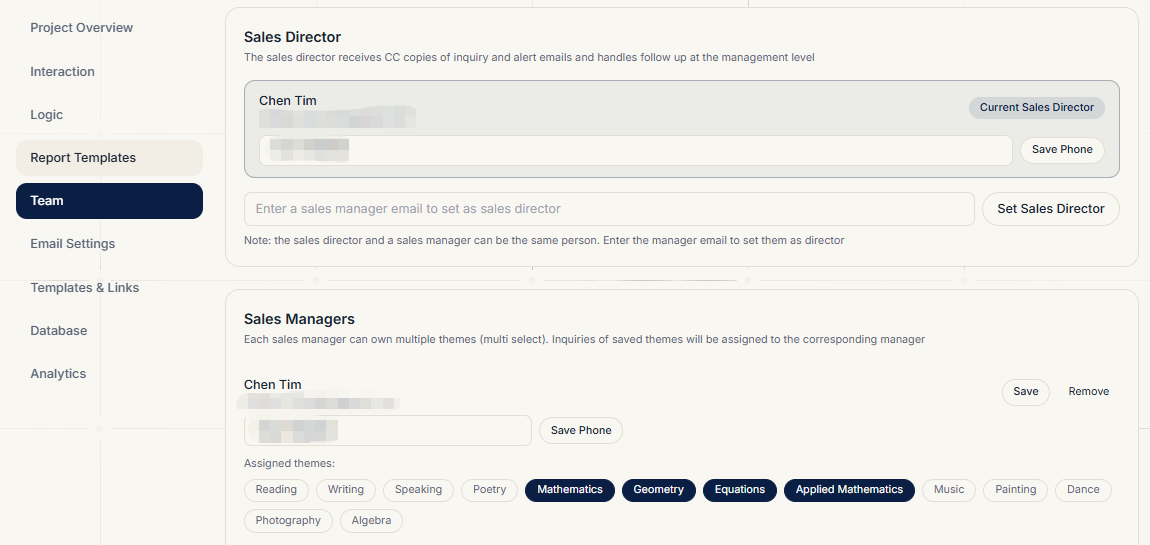
Sales Director
- Enter the sales director's email as the CC recipient for internal notification and warning emails
- Saved immediately
Sales Managers
- Add a manager: enter a member's email to add them as a sales manager
- Remove a manager: they stop receiving inquiry and warning emails
- Edit each manager's phone number for internal contact
Assigning Themes
- Each sales manager can be assigned multiple themes (e.g. "Kids English", "Adult IELTS")
- When a prospect picks a theme in the quiz, the internal notification and yellow/red warning emails go to the manager responsible for that theme
- Projects without an assigned theme default to the team admin
Related Topics
- How emails reach managers: Report Templates
- Warning hours: Email Settings